How does Loadscope decide your best powder charge and seating depth?
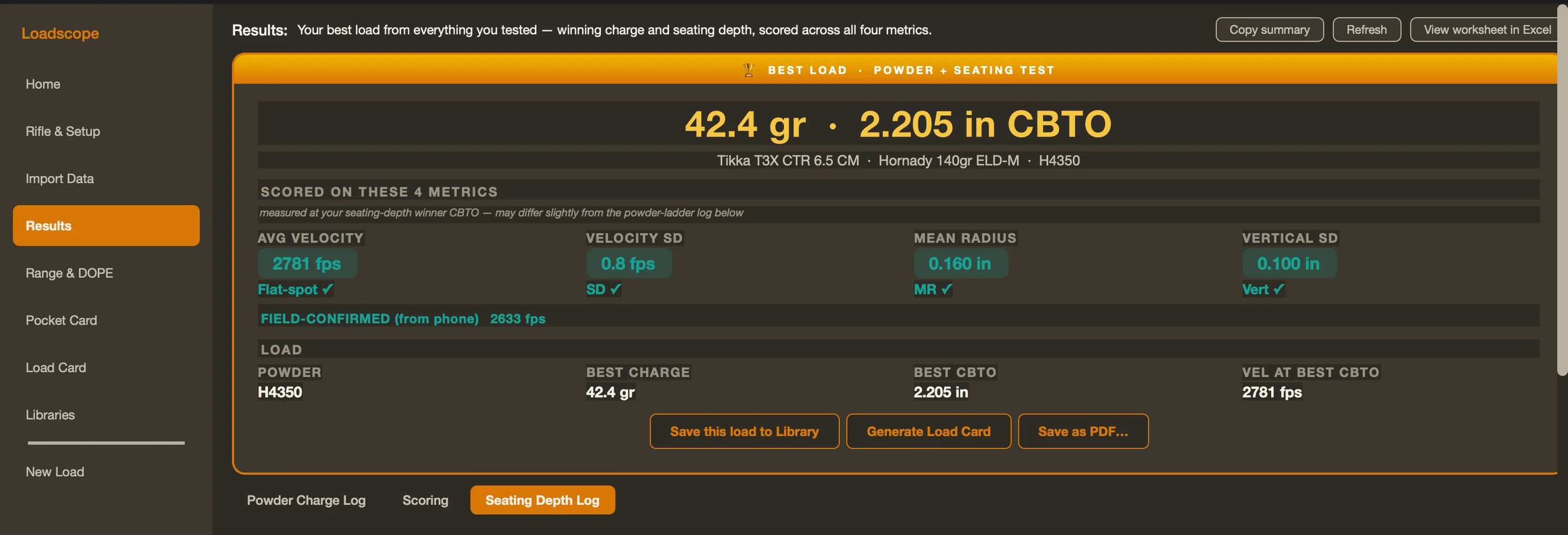
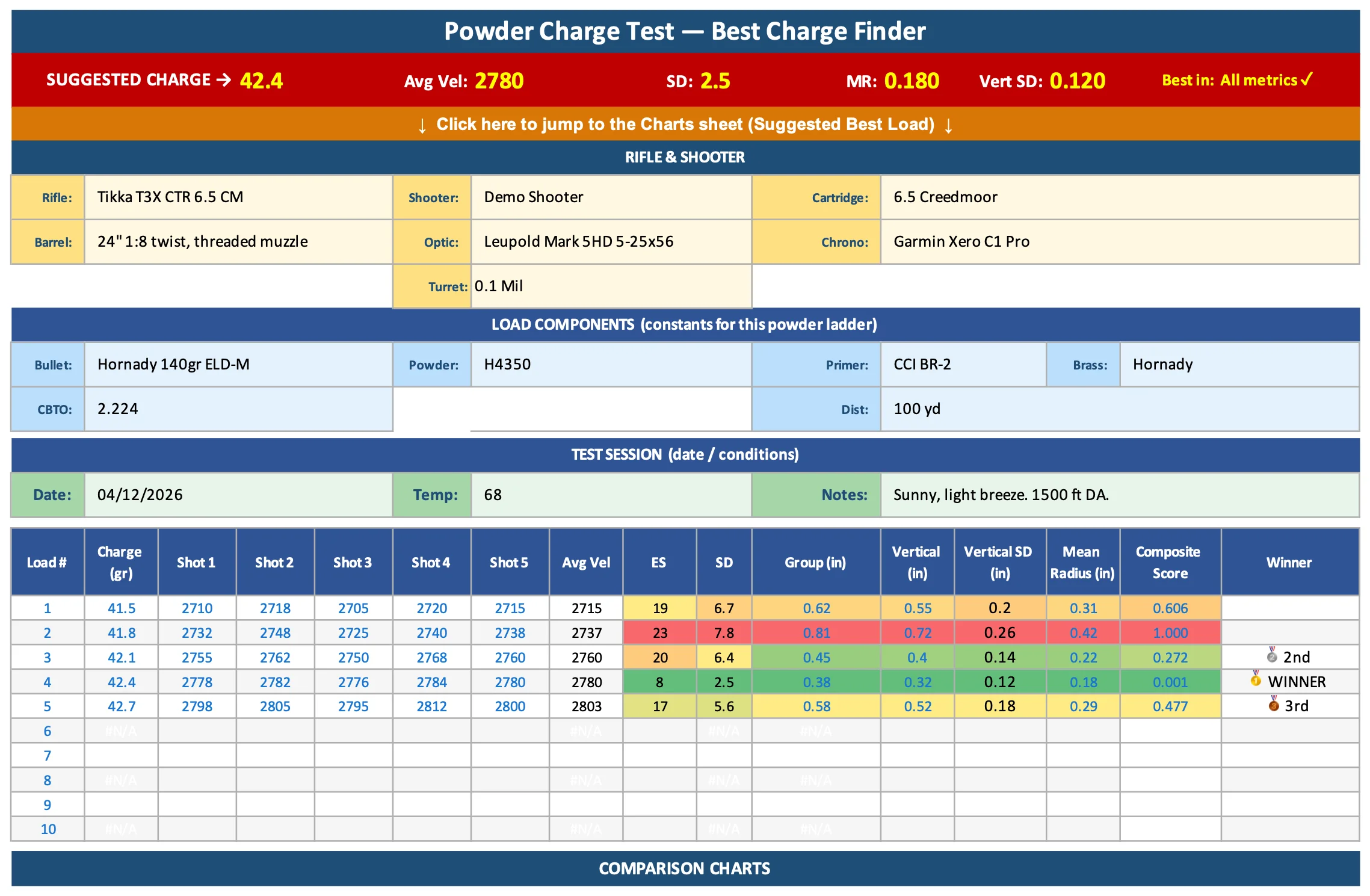
No single number tells you a load is good — a tight group that wanders in velocity will betray you at distance, and a flat velocity string over a wide group won't hold either. So Loadscope doesn't pick your best powder charge or seating depth on one stat. It scores every charge and every seating depth you tested across four things that actually show up on target.
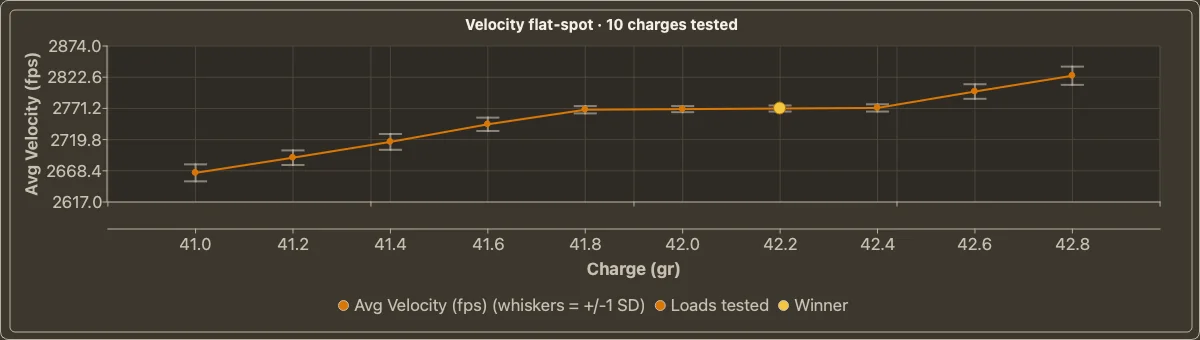
Those four: mean radius (true group center, not one flier — falls back to group size when only that's available), velocity SD (shot-to-shot consistency), vertical (vertical dispersion — what costs you elevation at distance), and a light flat-spot signal (how little your average velocity moves across nearby charges).
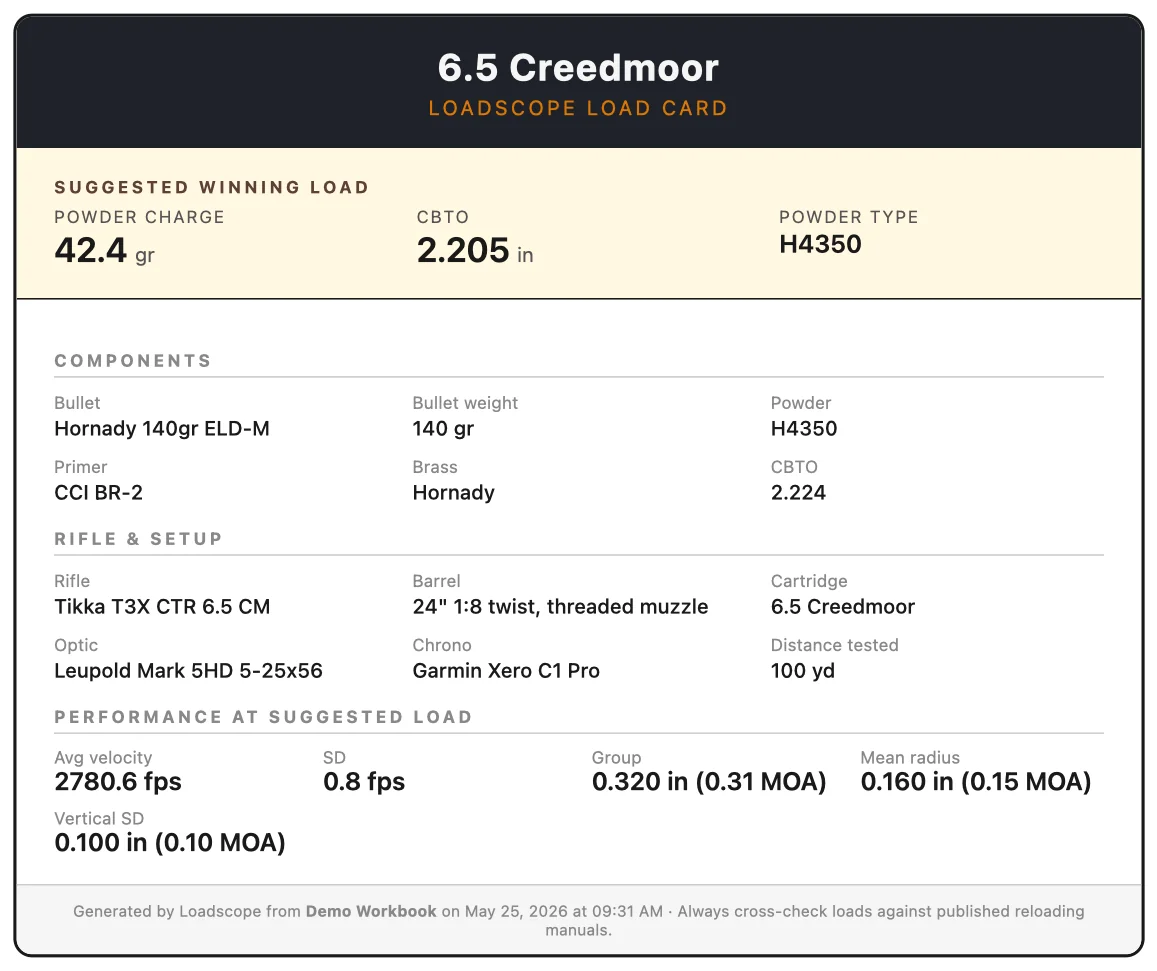
Each metric is put on the same 0-to-1 scale (lower is better) so they're comparable, then blended into one composite score. Lowest composite wins — Loadscope tags it 🥇 and writes the winning charge or CBTO to the top of the tab. Every candidate also earns a "Best in:" tag for any single metric it topped, even if it didn't win overall.
The four aren't weighted equally, and the mix isn't a fixed table — Loadscope sets it from the distance you tested at. Up close, mean radius leads and velocity barely counts; at 1000 yards velocity SD takes over, because that's where a few fps of spread opens real vertical. Seating-depth tests lean on mean radius, since seating tunes group shape, not speed. Every weight is still yours — the app's Scoring tab lets you type a percentage against each metric, and Use recommended weights hands the dial back to Loadscope. Read the full method →
A barrel tuner test is scored differently, because the four metrics above do not apply to it. Loadscope scores each setting on group height and mean radius, then names your best setting and the plateau of good settings beside it — a run of adjacent settings that all shoot well beats a lone winner. That weighting is adjustable too.
How do I get my code, and how does buying work?
Click Get Loadscope, check out for US$79, and your license key is emailed to you right away — it unlocks both the download and the app itself. One purchase covers up to two computers. Questions? support@loadscope.app.
Is Loadscope a subscription?
No. Loadscope is a one-time purchase — US$79, once. Pay once and it's yours, with free updates, not a yearly subscription. It runs fully offline with no account and no cloud. Loadscope Ballistics for iPhone & iPad is included.
I develop loads for paying customers — which license do I need?
A Commercial License, $399 one-time. The standard license covers your own handloading. If you work up loads for customers, load ammunition for sale, develop loads as part of a rifle build or barrel sale, or teach with it, the Commercial License is the right one. Same app, same free updates, one person at one business. That's less than most shops charge for a single load-development job. Get the Commercial License — $399. Questions first? support@loadscope.app.
How many computers can I run one license on?
Up to two — for example your bench PC and your range laptop. Both keep working offline once activated. If you move to a new computer and need to free a slot, email support@loadscope.app and we'll reset it.
Does it work in metric? Can I buy from outside the US?
Yes to both. Settings → Units switches the whole app to metric — velocity in m/s, distance in metres, group size, sight height and cartridge lengths in millimetres, temperature in °C, pressure in hPa, wind in m/s or km/h — or set each measurement on its own. Powder and bullet weights stay in grains, the way load data and powder scales print them.
Garmin Xero files saved with European settings — decimal commas, semicolons, 24-hour times, day-first dates — import as they are, and the target scale can be set in millimetres.
Loadscope sells worldwide for US$79. Checkout shows your total before you pay and adds VAT or GST where your country charges it — about US$95 in the UK. The app is in English. The 30-day money-back guarantee applies wherever you buy, which is longer than the 14-day cancellation window in the EU and UK.
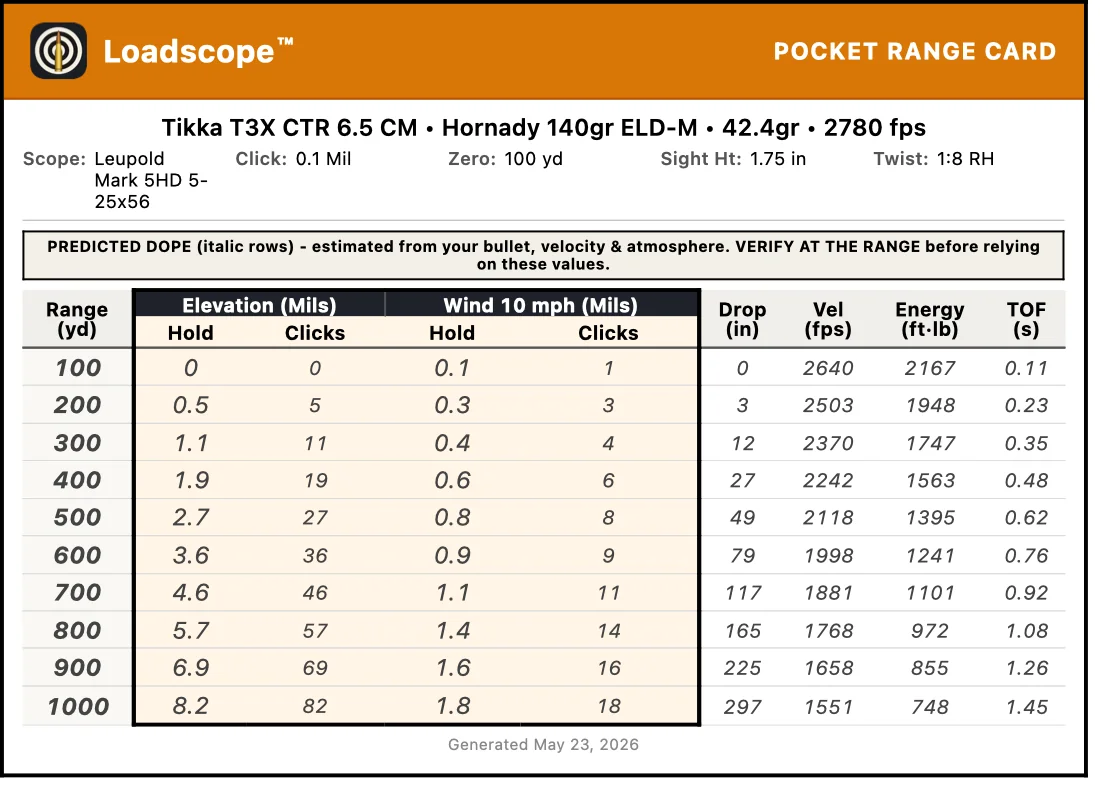
How accurate is the predicted DOPE?
Loadscope uses a G7/G1 point-mass ballistic solver — the same model class as Strelok, GeoBallistics and the free Hornady/Berger calculators — checked against two independent references, JBM Ballistics and Applied Ballistics' own published range card. Measured-drag solvers like Applied Ballistics and Hornady 4DOF pull ahead deep in the transonic. Predicted values are an estimate, not a measurement — always confirm by live fire at known distances before relying on them for a shot that matters.
What's "predicted" vs "confirmed"?
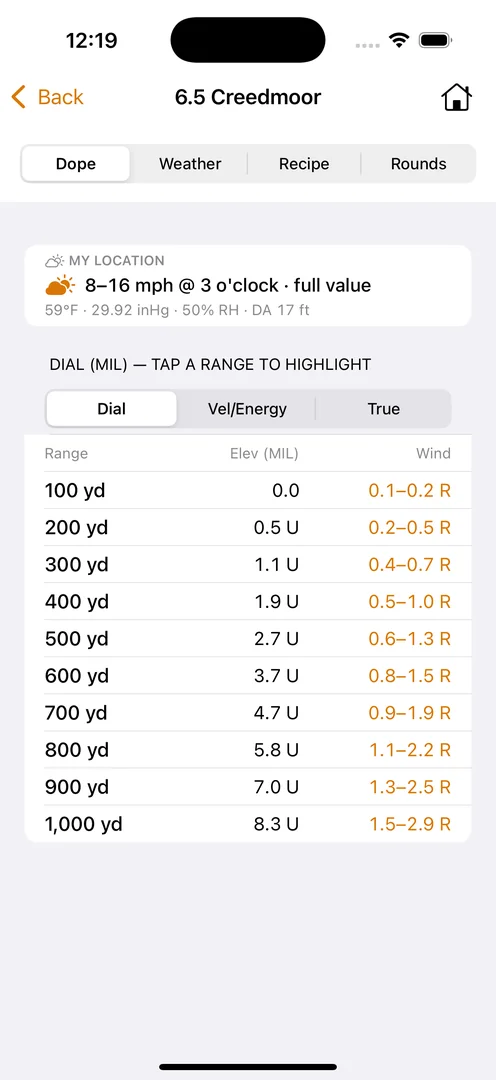
Grey italic numbers are predicted by the solver from your bullet, muzzle velocity and conditions. At the range you type what you actually dialed — that row turns solid white = confirmed. Click Save DOPE and Loadscope writes both to your workbook: predicted rows stay grey italic, confirmed rows print solid. Predictions never overwrite confirmed data (only the reverse), and your printed DOPE Card carries a "verify at the range" banner until every row is confirmed.
Do I have to enter a ballistic coefficient?
The most popular match bullets have their BCs built in. For any other bullet, type its BC off the box or the maker's site once. It's not a source of published load data — you still cross-reference charges against current reloading manuals. The bullet database grows over time with no app update needed.
What chronographs and target apps does it read?
Chronographs: Garmin Xero — either plug it into your computer with its USB cable and Loadscope reads the sessions straight off it, or import a ShotView CSV export; both work, and neither one replaces the other — plus LabRadar and Athlon Rangecraft, and MagnetoSpeed (still in testing, so check those numbers against your own). Target apps: BallisticX, OnTarget (PC/TDS), Silver Mountain (SMT) and ShotMarker — or skip the target app entirely and measure your groups from a photo right in Loadscope. The parser system is pluggable, so a new chronograph or target app is quick to add — send a sample export to support@loadscope.app and we'll fold it in.
Do I still need ShotView to get my Xero data in?
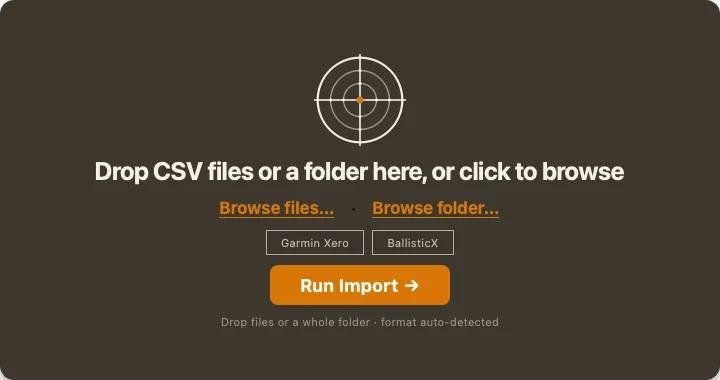
No. Plug the Xero into your Mac or PC with its USB cable and Loadscope notices it, tells you how many sessions are on it, and offers to read them — every session at once, straight off the chronograph. Since a Xero holds up to 50 sessions, it asks which ones belong to this ladder and lists them by time, shot count, average speed and SD, grouped by range day, with the likely block already picked for you. It never writes to or erases anything on the chronograph. The Xero stores its sessions as Garmin .FIT files, and Loadscope reads those directly — drag one in on its own if you've already copied them off.
And you don't need the cable every time. The ShotView route works exactly as it always has: export a session as a CSV from the app on your phone and drop it on Loadscope. Both paths land in the same place and score the same way — use whichever you have with you that day. Working with Garmin Xero data →
Do I need a target app to measure my groups?
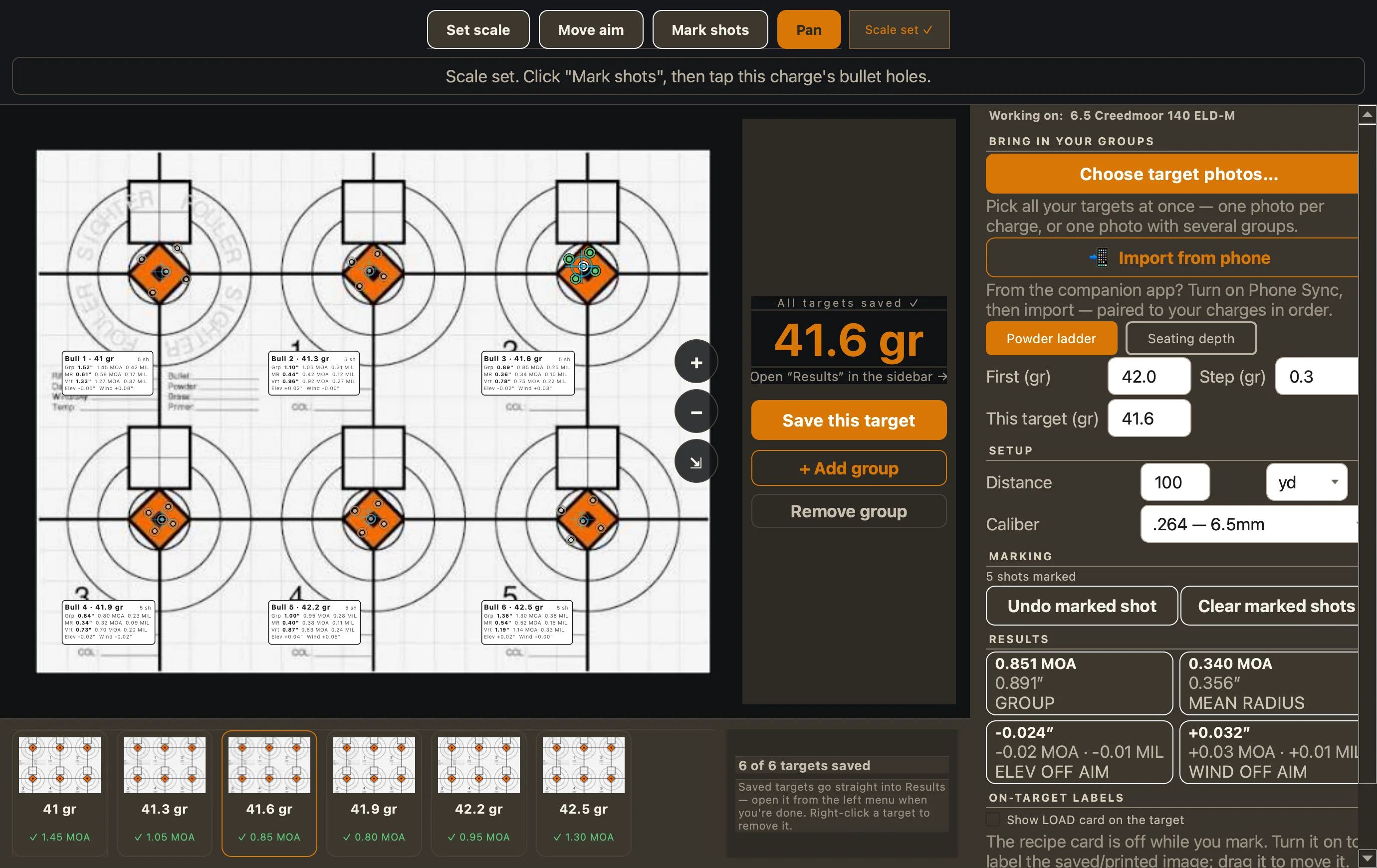
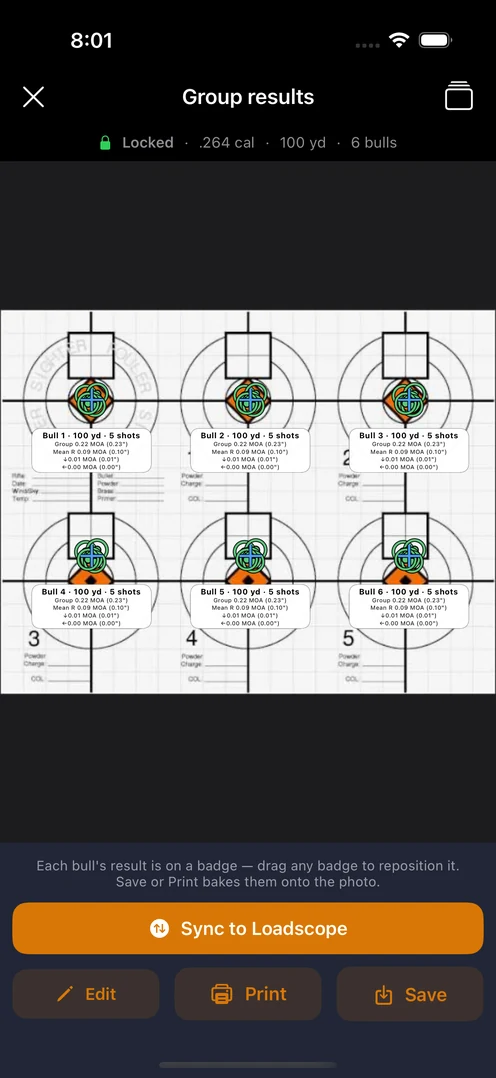
No. Loadscope has built-in group measurement — photograph your target, set the scale off a known reference, tap your shots, and it works out group size, mean radius and vertical for you, then scores it. Shoot a whole powder ladder — or a seating-depth ladder — on one target sheet and measure every bull in one pass; you tell it which bull is which. Or measure on the iPhone in the field and pull the target groups into the load over Wi-Fi. Already run a target app? Import its CSV instead — your call. How measuring from a photo works →
Is my data going to the cloud?
No. Loadscope writes to a regular .xlsx file on your computer. No account, no sync, no telemetry. Your loads stay on your machine.
Do I need Microsoft Excel?
No. Loadscope does the work itself — your scored results, best load, predicted DOPE, and printable Load & DOPE Cards all appear right inside the app, no Excel required. Excel only matters if you want to open the underlying workbook and poke around the formulas yourself. Even then, the file is a standard .xlsx that opens just as well in Numbers (free on every Mac), Google Sheets, or LibreOffice. Excel is recommended for the full spreadsheet experience, but it's not required to use Loadscope.
Is Loadscope code-signed?
Mac: yes. Signed with a Developer ID Application certificate and notarized by Apple. macOS opens it without security warnings on the first launch — the same as any commercial app.
Windows: yes. Signed by Loadscope LLC with a Certum code-signing certificate and timestamped. Because the certificate is new, Windows SmartScreen may still show a one-time More info → Run anyway prompt until it builds reputation — the publisher reads “Loadscope LLC”.
Windows blocked or deleted my download — what now?
Three different things can happen, and each needs a different fix. Loadscope is signed by Loadscope LLC, so in every case you can check the publisher name before you allow anything.
1. Your browser paused it. Look at the top-right corner of your browser for a small download icon, click it, and choose Keep.
2. The file downloaded, then disappeared. That is Windows Security deleting it after it lands, which is why “Keep” does not help. It was a false alarm on our installer and it has been cleared — so download it again first, and it should stay put. If it still vanishes, open Windows Security → Protection history, find the Loadscope entry, and choose Allow on device. Check it says Loadscope LLC before you allow it.
3. It runs, but you get a blue “Windows protected your PC” box. Click More info, then Run anyway. The publisher reads “Loadscope LLC”. This is a one-time prompt that appears because our certificate is still new.
Still stuck? Email support@loadscope.app and we will sort it out.
What hardware does Loadscope run on?
Mac: macOS 10.13 or newer. Runs natively on both Intel and Apple Silicon (M-series) Macs — no Rosetta needed.
Windows: Windows 10 or 11, 64-bit. No GPU required. Loadscope is a small app — runs fine on modest hardware.
Is Loadscope a phone app? Do I need a computer?
Yes, you need a Mac or Windows computer. Loadscope is a desktop program: that's where your chronograph and target data come in, every rung gets scored, and your best load is named. Loadscope Ballistics, the iPhone & iPad app included with your license, is a helper that carries the load you settle on to the range. There's no Android app, and you don't need one — all of the load-development work happens on the computer.
Is there an iPhone app?
Loadscope Ballistics is available on the App Store for iPhone and iPad — a field companion, not a phone port of load development. It carries your confirmed load to the range: a DOPE dial that re-solves live as conditions change, real crosswind math, your recipe at the bench, and round counts that sync back to the desktop. It's included with Loadscope — desktop owners unlock everything with their license key. On its own, phone-side load entry is a one-time $9.99 unlock. The desktop stays Mac & Windows for the actual load-dev work.